
Winbox Download APK – Official App for Android & iOS Devices

Winbox 5.0
App Information
Size: 35.87 MB
Category: e-wallet, gaming
Version: 2024.0111.002


Not a Winbox Member yet, click this button to register.
Winbox 5.0
App Information
Size: 35.87 MB
Category: e-wallet, gaming
Version: 2024.0111.002
Not a Winbox Member yet, click this button to register.
Winbox Download – Official APK for Android and iOS
The Winbox app puts the full platform on your phone: slots, live casino, 4D lottery, sports betting and your wallet, all one tap away. Download takes under a minute, installation about two, and once it is done you never have to type the web address again.
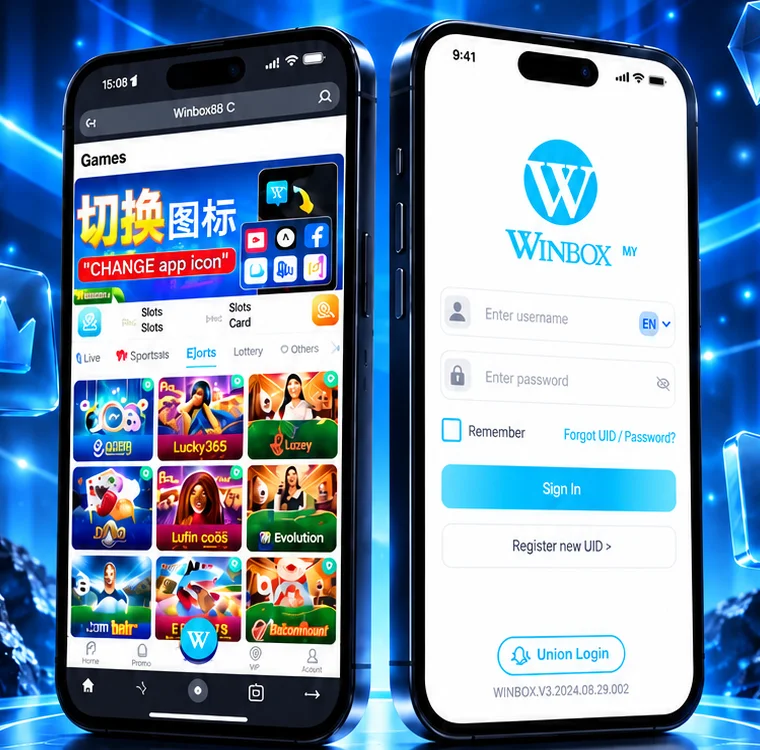
This is the official download page for Malaysian players. Android users install the Winbox APK download directly, and iOS users add the app through Safari. Both routes are covered step by step below, along with what to do when your phone shows a security warning during installation.
Why Use the Winbox App Instead of the Browser?
The browser version works perfectly well, and nothing is missing from it. But for players who log in most days, the app is simply less friction.
What the Winbox APK gives you over the web version:
- Faster loading — game assets are stored on your device instead of being downloaded each session, so tables and reels open almost instantly.
- One-tap access — open straight from your home screen with your session already active, rather than navigating to the site and signing in again.
- Lower data usage — because the app caches graphics locally, it pulls noticeably less mobile data over a month of regular play.
- Smoother gameplay — live dealer streams and animated slots run at a steadier frame rate than they do inside a mobile browser tab.
- Push notifications — free credit drops, cashback windows and limited-time promotions reach you while they are still claimable.
Install once, and from then on it is open, tap, play. Your balance, bonuses and history are identical to the web version because it is the same account.
How to Download and Install Winbox
Android installs the Winbox APK file directly; iOS adds a web app through Safari. Neither route needs a computer, and neither requires jailbreaking or rooting your phone.
- Open the official Winbox download APK page in Chrome on the device you want to install on.
- Tap the Android Download button. The APK file is small and usually finishes in seconds on WiFi.
- Android will warn about installing from an unknown source. This is standard for any app distributed outside the Play Store, not a sign of a problem. Tap Settings, enable Allow from this source for Chrome, then go back.
- Open the downloaded file and tap Install. Installation takes roughly 30 seconds.
- Open the app, log in with your existing username and password, and you are ready to play. No separate app account is needed.
- Open this page in Safari. Chrome on iOS cannot add web apps to the home screen, so Safari is required.
- Tap the iOS Download button on this page.
- Tap the Share icon in the Safari toolbar — the square with an arrow pointing up.
- Scroll down the share sheet and choose Add to Home Screen, then confirm with Add.
- The Winbox icon now sits on your home screen and opens full-screen with no browser bars, exactly like a native app.
Only ever download from this official page. Third-party APK mirrors and file-sharing sites frequently repackage casino apps with modified code, and an app that looks correct can still be logging your credentials. If a download link did not come from the official domain, do not install it.
Is the Winbox APK Safe?
Yes, when you download it from this page. The security warning Android shows during installation appears for every app that is not distributed through the Play Store, including many legitimate banking and gaming apps in Malaysia, and it does not indicate the file is unsafe. The genuine risk is downloading from somewhere other than the official source. If you do not yet have an account, register a Winbox account before installing, so you can sign in immediately once the app opens.
What You Can Play in the Winbox App
The app carries the complete game library — nothing is web-only:
- Slots — Pragmatic Play, JILI, Playtech, Spadegaming, Microslot, Lucky365, Monkey King and more, from low-stake spins to progressive jackpots.
- Live casino — HD dealer streams from Evolution, Ezugi, Sexy, Asia Gaming, Big Gaming and Pretty Gaming, covering baccarat, roulette, blackjack, dragon tiger and sic bo.
- Sports betting — football, badminton, basketball and esports via Maxbet, CMD368, BTI and 9Wickets, with live in-play markets during matches.
- Banking built in — deposit and withdraw without leaving the app, using Maybank, CIMB, Public Bank, RHB and e-wallets including Touch ‘n Go.
- Bonuses and promotions — see and claim current Winbox promotions directly in the app, including offers pushed to app users first.
4D lottery covering Magnum, Da Ma Cai, SportsToto and Sabah 88 is included too, along with horse racing — all inside the same app and the same wallet.
App or Web — Which Should You Use?
Both work, and both reach the same account and balance. If you play most days, the app is worth the two minutes it takes to install. If you play occasionally, are low on storage, or are on a shared device, the Winbox web login is the better choice — nothing installed, nothing left behind.
- Stays logged in — no re-entering your password every session.
- Alerts you to promotions — time-limited offers reach you while they are still live.
- Performs better — steadier frame rates on live tables and animated slots.
- Always one tap away — a home screen icon instead of a bookmark.
Many players use both: the app on their main phone, and the browser version on a laptop or second device. Your account syncs across all of them, so there is no reason to pick just one.
Download Winbox and Start Playing
Pick Android or iOS above, follow the steps, and you will be playing within a few minutes. If anything goes wrong during installation, live chat and Telegram support run 24 hours a day. Download from Winbox Malaysia and get the full platform on your phone.
Winbox Download FAQ
Is the Winbox APK safe to download?
It is safe when downloaded from the official Winbox page. The 'unknown source' warning Android displays during installation appears for every app distributed outside the Play Store and does not mean the file is dangerous. The real risk comes from third-party APK mirrors, which sometimes repackage casino apps with modified code, so always download from the official domain.
How do I install Winbox on Android?
Open the official download page in Chrome, tap Android Download, allow installation from this source when Android prompts you, then open the downloaded file and tap Install. The whole process takes about two minutes and does not require rooting your device.
How do I download Winbox on iPhone?
Open the download page in Safari specifically, tap the iOS Download button, then tap the Share icon and choose Add to Home Screen. The Winbox icon is added to your home screen and opens full-screen like a native app. Chrome on iOS cannot do this, so Safari is required.
Why does my phone warn me about installing the app?
Android shows this warning for any APK installed outside the Google Play Store, which includes many legitimate apps in Malaysia. It is a general caution about the installation method, not a detection of anything harmful in the file. Enable installation for your browser when prompted and continue.
Do I need a separate account for the app?
No. The app and the web version share one account. Log in with your existing username and password and your balance, bonuses and game history will be exactly as you left them.
Does the Winbox app need updating?
Occasionally, when new games or features are added. You can reinstall the latest version from this page at any time without losing your account or balance, since everything is stored on the server rather than on your device.
Does the app use a lot of storage or mobile data?
The app itself is small, and it actually reduces data use over time. Because game graphics are cached on your device after the first load, the app pulls less mobile data across a month of regular play than the browser version does.
Can I use Winbox on the browser instead of downloading?
Yes. The H5 web version runs entirely in your browser with nothing installed and gives you the same games, wallet and promotions. The app mainly adds convenience — staying logged in, faster loading and push notifications for promotions.
